
Sanctions Search
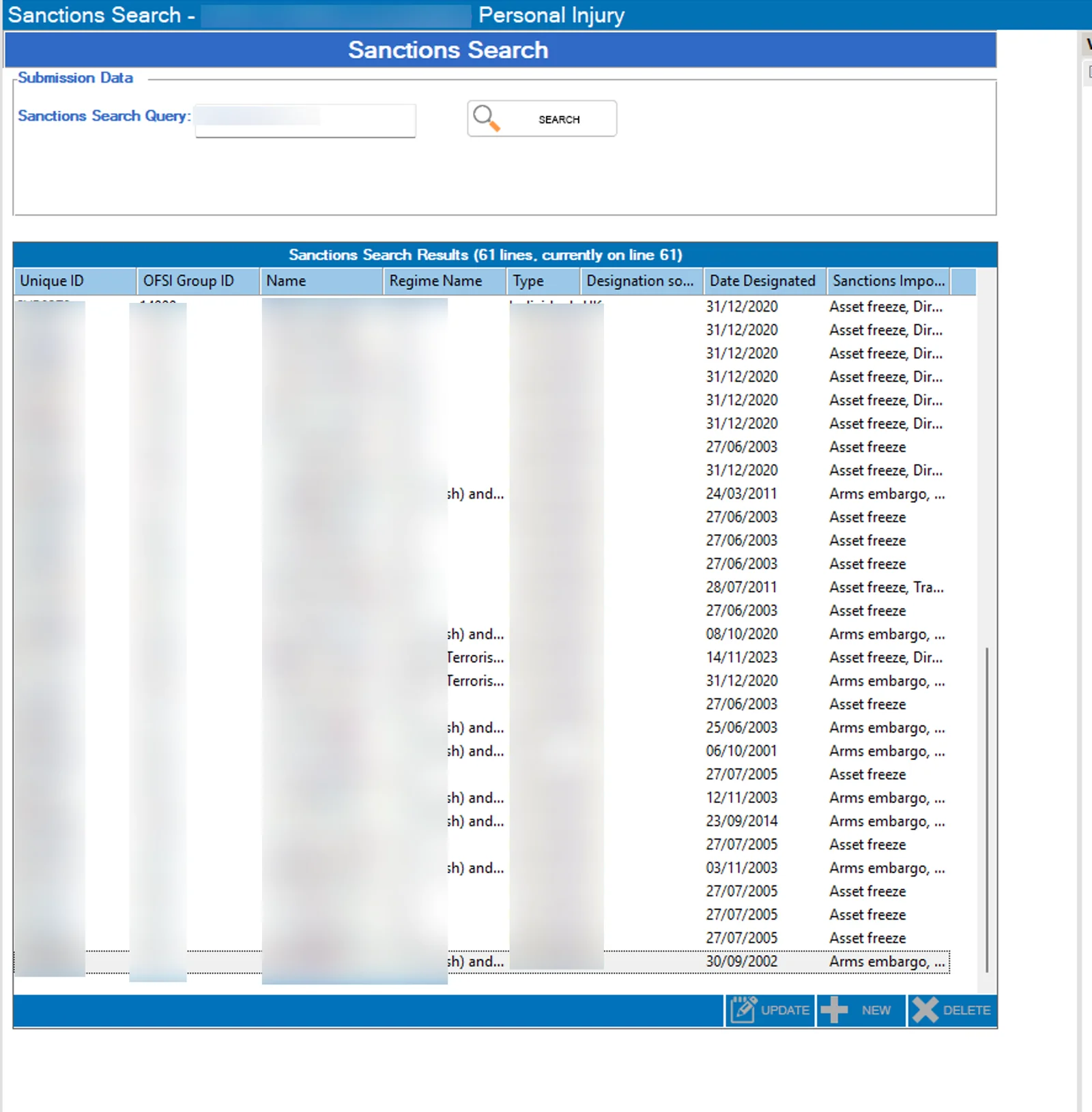
We have integrated the UK Sanctions List search directly into Proclaim, so fee earners can screen a client without leaving the case management system. The search runs against the official UK Government sanctions list and shows matches inside the case, including the unique ID, regime, designation source, date designated and the sanctions imposed. A sanctions search is now performed automatically whenever a new case or file is opened, so every new client is screened from day one without any manual step. We have also built a bulk screening tool that runs the same search against all previous cases, so firms can screen their existing caseload in one pass and keep their compliance records up to date.
The Operational Problem
Manual UK Sanctions List checks rely on fee earners remembering to search external government lists and leave existing active caseloads unchecked when designations change.
Primary use case: Day-one client sanctions screening and bulk retrospective caseload audits.
How Sanctions Search Solves It
Sanctions Search runs directly against the official UK Government sanctions list from within Proclaim so handlers never skip mandatory onboarding checks.
Every new case or file opened triggers an automatic screening step from day one, displaying unique ID, regime, designation source, date designated, and sanctions imposed inside the file.
A dedicated bulk screening utility lets compliance teams sweep existing caseloads in one pass whenever official designations update.
How It Works
Automatically screen every new client against the official UK Government sanctions list when a case opens.
Inspect any potential matches inside Proclaim—displaying unique ID, regime, designation source, date designated, and sanctions imposed.
Run bulk caseload screening across existing matters in one controlled pass to bring compliance records up to date.
Product Screens & Capabilities
Click any screen to inspect full-size UI details and step-by-step features.
Key Features & Outcomes
- UK Sanctions List in Proclaim
- Official UK Government list
- Unique ID & regime matches
- Date designated
- Sanctions imposed
- Auto-screen on case open
- Bulk caseload screening
- Compliance records up to date
Integration With Access Proclaim
Runs directly inside Proclaim on case creation and through a dedicated bulk-screening tool across historical files.
Governance & Operational Control
Logs exact UK Sanctions List match metadata and screening timestamps inside the Proclaim matter for compliance inspection.
Sanctions Search FAQs
Yes. New files screen automatically on open, and the built-in bulk screening tool runs the same UK Sanctions List search across your existing caseload.
See Sanctions Search Running Inside Proclaim
Book a live technical walkthrough with our engineering team to review integration requirements for your Proclaim environment.