
askCUE Integration
Run askCUE personal-injury enquiries from Proclaim — submit client and accident details, capture match or no-match outcomes, and keep the search trail on the claim.
The Operational Problem
Re-keying claimant names, DOBs, NI numbers, and accident dates into the external askCUE website wastes fee-earner time and risks missing search references on the case file.
Primary use case: Mandatory personal injury CUE PI fraud & claims-history checks without leaving Proclaim.
How askCUE Integration Solves It
askCUE sits on the Proclaim case so fee-earners can run CUE PI searches without leaving the desktop file or re-keying client details into a browser form.
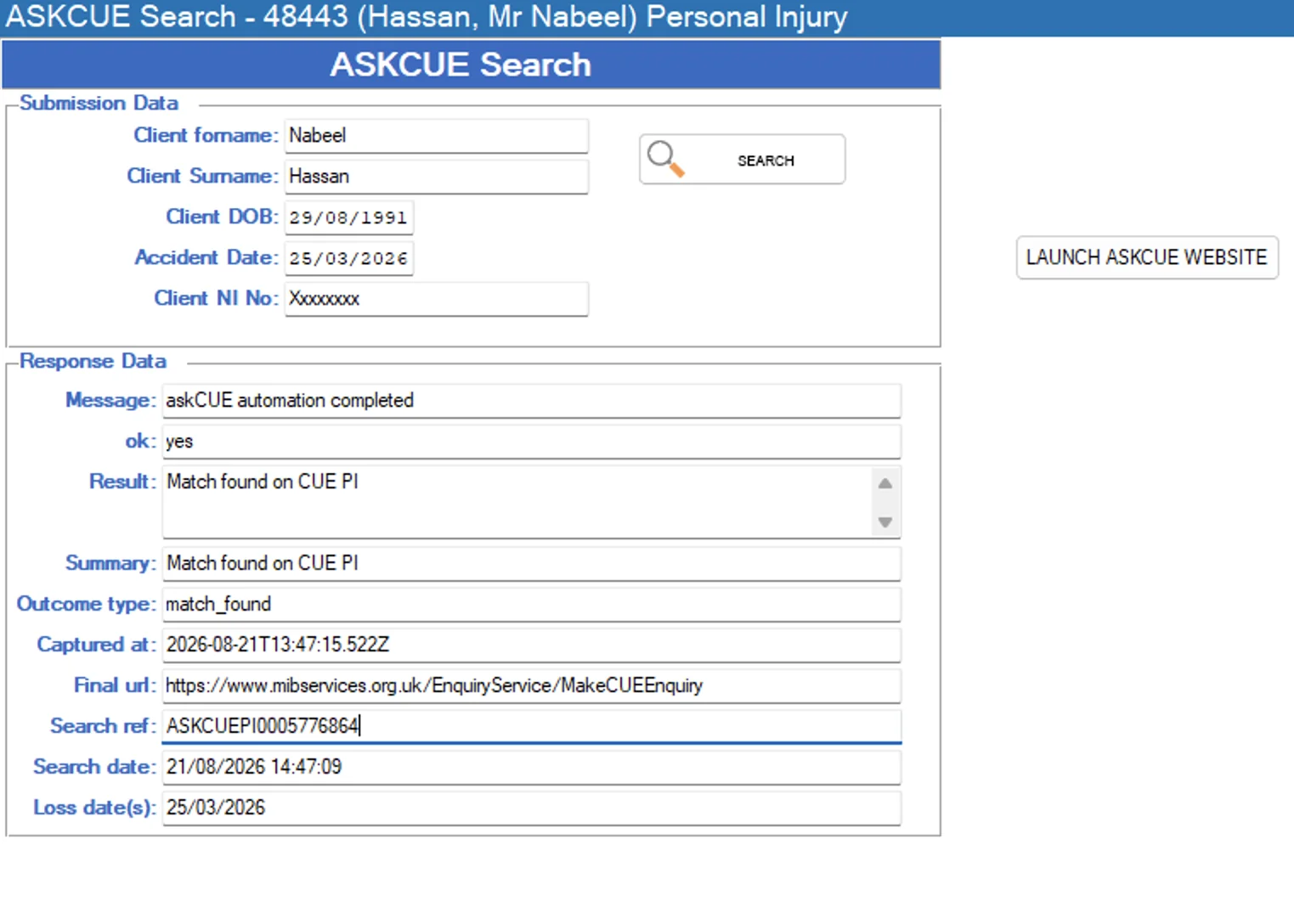
Submission data captures forename, surname, DOB, accident date, and NI number, then returns a structured response with outcome type and match summary.
When a match is found on CUE PI, search refs, loss dates, and capture timestamps land back as response evidence for the handler.
Handlers can still launch the askCUE website when a deeper enquiry is needed — while prior searches stay in case history for the next fee-earner on the file.
How It Works
Pull forename, surname, DOB, accident date, and NI number straight from the Proclaim matter.
Submit the askCUE PI enquiry directly from the in-desktop Proclaim screen.
Capture structured match or no-match outcomes, search references, loss dates, and timestamps onto the file.
Launch the official askCUE website in one click whenever a deeper manual enquiry is needed.
Product Screens & Capabilities
Click any screen to inspect full-size UI details and step-by-step features.
Key Features & Outcomes
- askCUE Search
- Automated bot
- Client submission
- Accident date
- Match / no-match
- Search reference
- Captured timestamps
- Launch askCUE site
Integration With Access Proclaim
Native Proclaim screen submits claimant details and archives search responses, references, and timestamps directly in case history.
Governance & Operational Control
Preserves full search timestamps and official askCUE reference evidence inside the Proclaim file for compliance.
askCUE Integration FAQs
Yes. The in-desktop screen handles standard submissions and stores the trail on Proclaim, while providing a direct launch button to the askCUE website when deeper review is required.
See askCUE Integration Running Inside Proclaim
Book a live technical walkthrough with our engineering team to review integration requirements for your Proclaim environment.